For independent digital illustrators, webcomic authors, and character animators, publishing artwork on public social networks is an indispensable marketing necessity. It is how independent creators build dedicated fanbases, attract freelance client commissions, and secure commercial publishing deals. Yet in today’s digital landscape, sharing your creative work online also exposes it to an aggressive ecosystem of automated scraping bots, unauthorized repost aggregator accounts, bootleg merchandise dropshippers, and unconsenting generative AI training web crawlers.
Within minutes of uploading a trending illustration to Twitter, Bluesky, Instagram, or Reddit, automated bots crawl your post, download raw images, strip artist watermarks, and re-upload the file to automated print-on-demand stores (like Redbubble, TeePublic, Amazon, and AliExpress) or ingest it into mass-scale web-scraping datasets. While retreating entirely from the internet is neither practical nor viable for working creators, artists can establish a robust, multi-layered defensive strategy that deters theft, preserves intellectual property ownership, and maintains a clean, professional aesthetic for fans and legitimate clients.
In this comprehensive guide, we unpack the multi-layered defense architecture every independent digital artist should implement across their publishing workflow—from resolution throttling and tamper-resistant watermarks to federal statutory copyright protections and streamlined DMCA takedown pipelines.
1. Understanding the Modern Art Scraping Ecosystem
Effective defense begins with understanding how commercial scraping bots operate. Most unauthorized theft is not carried out by individual human thieves manually saving images one by one; it is orchestrated by automated Python scripts and headless browser bots monitoring public hashtag streams (such as #fanart, #conceptart, #characterdesign, or #webcomic). These bot networks fall into three main categories:
- Merchandise Scraping Bots (“T-Shirt Bots”): Automated algorithms that monitor viral posts with high engagement or comments containing trigger phrases like “I need this on a shirt”. The bot automatically downloads the attached image, applies an automated upscale filter, and creates live product listings on print-on-demand storefronts within 15 minutes.
- Content-Farming Repost Aggregators: Anonymous social media pages that scrape artwork, crop out the artist’s signature, and repost the image without attribution to farm hundreds of thousands of followers, which are later monetized via scam crypto links or sold to marketing agencies.
- Generative AI Dataset Harvesters: Automated web crawlers (such as Common Crawl, LAION, and commercial AI scraping bots) that traverse art galleries, downloading millions of image-text pairs to train neural network diffusion models without artist consent, attribution, or compensation.
2. Defense Layer 1: Resolution Throttling (The Screen vs. Print Barrier)
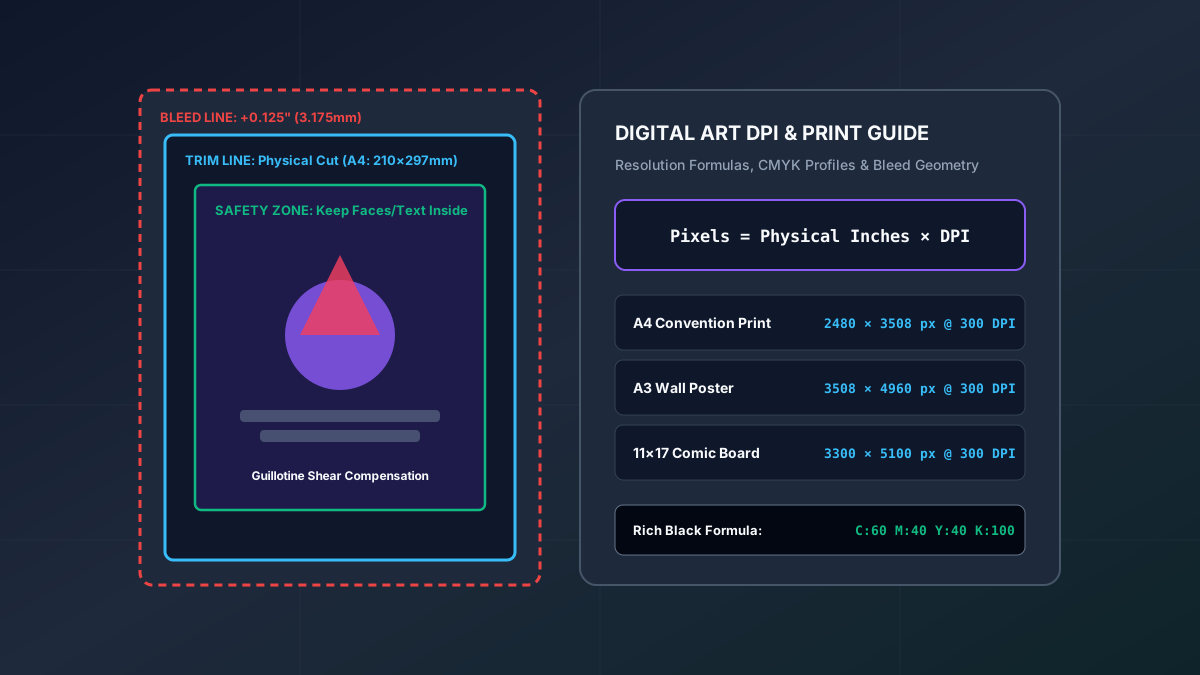
The single most widespread and dangerous operational error made by digital creators is uploading uncompressed, full-resolution master files (e.g. 4000×6000 px at 300 DPI) directly to public social networks. When an unauthorized merchandise shop or bootleg printer scrapes your post, having access to full-resolution line art allows them to manufacture posters, t-shirts, and canvas wall art without noticeable pixelation.
You can instantly cripple the commercial viability of scraped artwork by enforcing Resolution Throttling:
- Cap Public Social Uploads at 1080px to 1400px Max Width: On modern 6-inch smartphone screens, a 1200px wide image displays at pristine retina sharpness, providing fans with a flawless viewing experience. However, if a bootleg printer attempts to print that 1200px image on a standard A3 convention poster, the image prints at a meager 72–80 DPI, producing glaring blurriness and jagged artifacts that make physical sale impossible.
- Reserve Master Files for Protected Channels: Store full-resolution 300 DPI print files, layered PSD/CLIP project files, and uncompressed lossless PNGs behind authenticated paywalls (such as Patreon, Ko-fi tiers, or private client delivery portals).
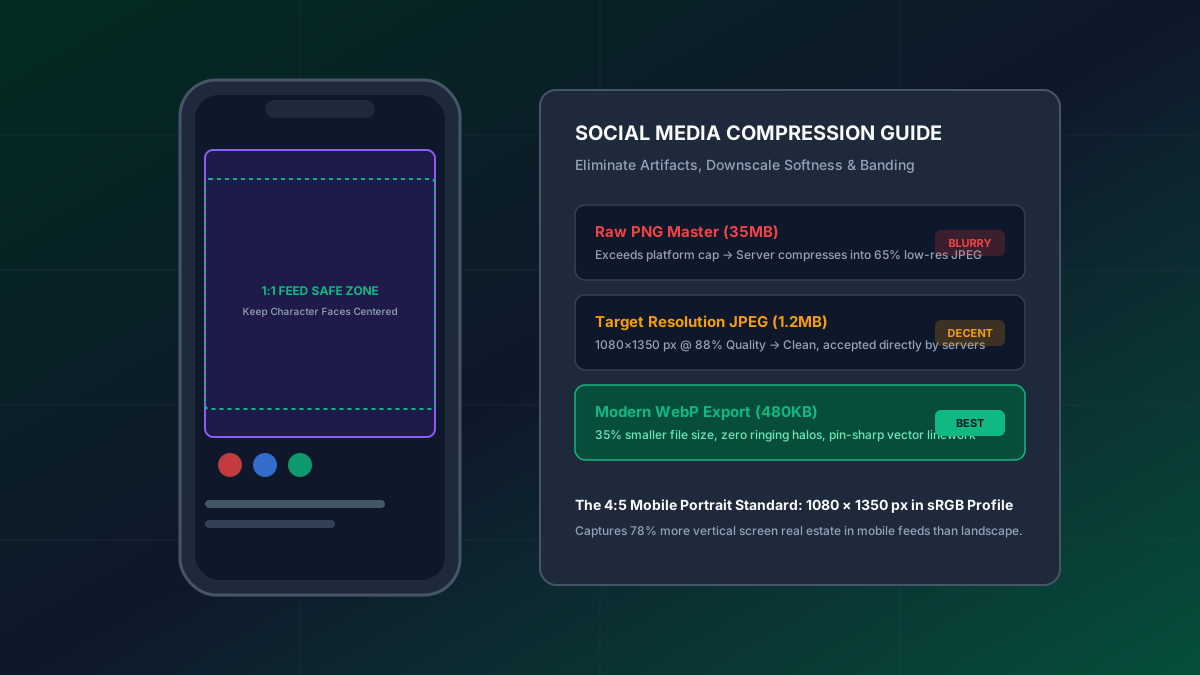
- Pre-Downsample with In-Browser Tools: Rather than relying on social media platforms’ aggressive compression algorithms (which introduce fuzzy compression halos around line art), use our free Social Image Resizer & Compressor to generate crisp, optimized web exports locally on your device before publishing.
3. Defense Layer 2: The Geometry of Tamper-Resistant Watermarking
Many creators place a small, faint signature in the bottom-right or bottom-left corner of their artwork. Unfortunately, corner watermarks provide virtually zero theft deterrence. Scraping bots and repost accounts routinely perform automated 5% margin crops, eliminating corner signatures instantly. Furthermore, modern AI “Inpainting” and Adobe Content-Aware Fill tools can erase a corner watermark positioned over a flat background in less than three seconds.
To resist automated and manual removal, an effective watermark must be geometrically integrated into the artwork’s visual core:
- Anchor Across High-Contrast Visual Intersections: Position your signature or artist handle across complex, high-frequency textural boundaries—such as where a character’s hair overlaps shoulder armor, across intricate costume folds, or along a dramatic lighting rim. Removing a watermark stamped across multiple intersecting layers of line art and color requires extensive manual repainting, destroying the automated profitability of the theft.
- Calibrate Opacity to the 30%–45% Sweet Spot: A 100% opaque watermark stamped across a character’s face distracts viewers and diminishes aesthetic appreciation. Conversely, a 10% opacity watermark is easily obliterated by a minor contrast adjustment. Calibrate your signature opacity between 30% and 45%, and add a soft 1-pixel drop shadow or outer stroke to ensure legibility across both dark and light areas.
- Use Tiled Portfolio Watermarks for Commission Previews: When sending client commission WIPs (Work-in-Progress) or uploading extensive character design model sheets, use a repeating diagonal tiled watermark pattern. Our in-browser Artist Watermark Tool enables you to adjust tile spacing, rotation angle, font style, and opacity across dozens of gallery illustrations simultaneously in seconds.
4. Defense Layer 3: Copyright Management Information (CMI) & Federal Law
Watermarks and signatures are not merely visual deterrents; they carry profound legal weight under United States federal copyright law. Pursuant to Section 1202 of the Digital Millennium Copyright Act (17 U.S.C. § 1202), it is a federal violation to knowingly remove, alter, or falsify Copyright Management Information (CMI) with intent to induce, enable, facilitate, or conceal infringement.
CMI includes the title of the work, the author’s name, copyright notice symbols, identifying numbers, and terms of use. The legal implications are monumental:
- Separate Statutory Damages up to $25,000 Per Violation: If an unauthorized vendor or repost account crops out your signature or erases your watermark before republishing or selling your art, they are liable under Section 1202 for statutory damages ranging from $2,500 to $25,000 per individual violation, completely separate from and in addition to standard copyright infringement damages.
- Standard CMI Format: To trigger explicit statutory CMI protections, ensure your watermark or image border includes: the copyright symbol, the creation year, your legal or professional brand name, and your primary website URL (e.g.
© 2026 ArzyParzy • arzyparzy.com). - Embed IPTC Metadata: In addition to visual watermarks, embed your copyright notice directly into the file’s EXIF/IPTC header metadata using tools like Photoshop, ExifTool, or Clip Studio Paint export settings. Stripping embedded metadata also triggers Section 1202 liability.
5. Defense Layer 4: AI Cloaking and Adversarial Perturbation
To defend against unauthorized ingestion into generative AI model training datasets, academic researchers at the University of Chicago developed algorithmic cloaking tools such as Glaze and Nightshade. Understanding how these tools work helps creators make informed choices about when to deploy them:
- Glaze (Style Protection): Introduces imperceptible pixel-level mathematical perturbations across your artwork. While human viewers see your normal distinct artistic style, AI feature-extraction networks perceive the artwork as a radically different style (for example, interpreting an anime line art style as an oil painting). This prevents AI models from learning and mimicking your unique aesthetic voice.
- Nightshade (Data Poisoning): Applies adversarial perturbations that poison diffusion model associations. If an AI crawler ingests a Nightshade-perturbed illustration of a dog, the neural network learns features that trick it into generating a purse or a car instead when prompted for “dog”, disrupting the reliability of scraped training sets.
- Visual Trade-Off Considerations: Applying heavy adversarial cloaking can introduce subtle high-frequency noise or color grain, particularly across smooth gradients and skin flats. Many artists apply Glaze or Nightshade exclusively to public portfolio uploads while sharing unperturbed versions with trusted patrons.
6. Defense Layer 5: Technical Server Defenses & Machine-Readable Directives
If you host your own portfolio website, comic hub, or online shop, you can implement technical server-side directives to block automated scraper bots at the perimeter:
- Robots.txt AI Crawling Disallows: Explicitly block known AI scraper user-agents by adding standard disallow directives in your server’s
robots.txtfile for bots such asGPTBot,CCBot,anthropic-ai,Claude-Web, andGoogle-Extended. - Robots Meta Tag Configuration: Include standard anti-scraping meta tags in your site’s HTML head:
<meta name="robots" content="noai, noimageai">. While rogue scrapers may ignore these directives, commercial search engines and compliant data brokers honor them. - Disable Direct Image Hotlinking: Configure Cloudflare or server Nginx rules to prevent third-party websites from embedding images hosted directly on your server, saving your bandwidth and preventing scraper display mirrors.
7. Defense Layer 6: Rapid-Response DMCA Takedown Protocol
When you discover your illustration being sold on third-party print-on-demand websites (such as Redbubble, TeePublic, Amazon, AliExpress, or Shopify storefronts), responding promptly with a formal statutory DMCA takedown notice is essential. Under Section 512(c) of the DMCA, online service providers must act expeditiously to remove or disable access to infringing material to maintain their immunity from monetary copyright damages.
To execute a DMCA takedown notice in under five minutes, maintain a pre-drafted legal template containing these six legally required statutory elements:
- Identification of the Copyrighted Work: A link to your original post timestamp, portfolio link, or copyright registration number proving prior authorship.
- Identification of the Infringing Material: The exact product or image URLs on the infringer’s website that must be removed.
- Contact Information: Your legal name, email address, physical mailing address, and phone number.
- Good Faith Statement: “I have a good faith belief that use of the material in the manner complained of is not authorized by the copyright owner, its agent, or the law.”
- Accuracy & Perjury Statement: “I swear, under penalty of perjury, that the information in this notification is accurate and that I am the copyright owner or am authorized to act on behalf of the owner.”
- Physical or Electronic Signature: Your full typed legal name.
Most major platforms maintain automated DMCA submission forms (such as Redbubble’s Intellectual Property Notice page or Amazon’s Report Infringement portal) that process valid notices within 24 to 48 hours. Review our DMCA Copyright Policy for additional statutory guidelines and contact protocols.
8. Batch Protect Your Artwork with ArzyParzy
Protecting your art should not become an exhausting chore that consumes your drawing time. Using our free, in-browser Artist Watermark Tool, you can apply custom text or logo watermarks across dozens of illustrations simultaneously with complete control over opacity, positioning, rotation, and tile spacing. Best of all, processing occurs 100% locally on your machine—your artwork never leaves your browser, ensuring total privacy and security.
Combine watermarking with our Social Image Resizer to downsample and protect your public gallery in a streamlined, five-minute pre-publishing routine. Reclaim control over your intellectual property and share your creations with confidence.